
For creators with an audience
One site that turns your readers into buyers.
Host a free guide, sell a paid ebook and keep your email list, all on one site. Payments run through your own Stripe account and emails through your own Resend account, so you keep every customer.
Free for 90 days, then $4.95/month. Cancel anytime.
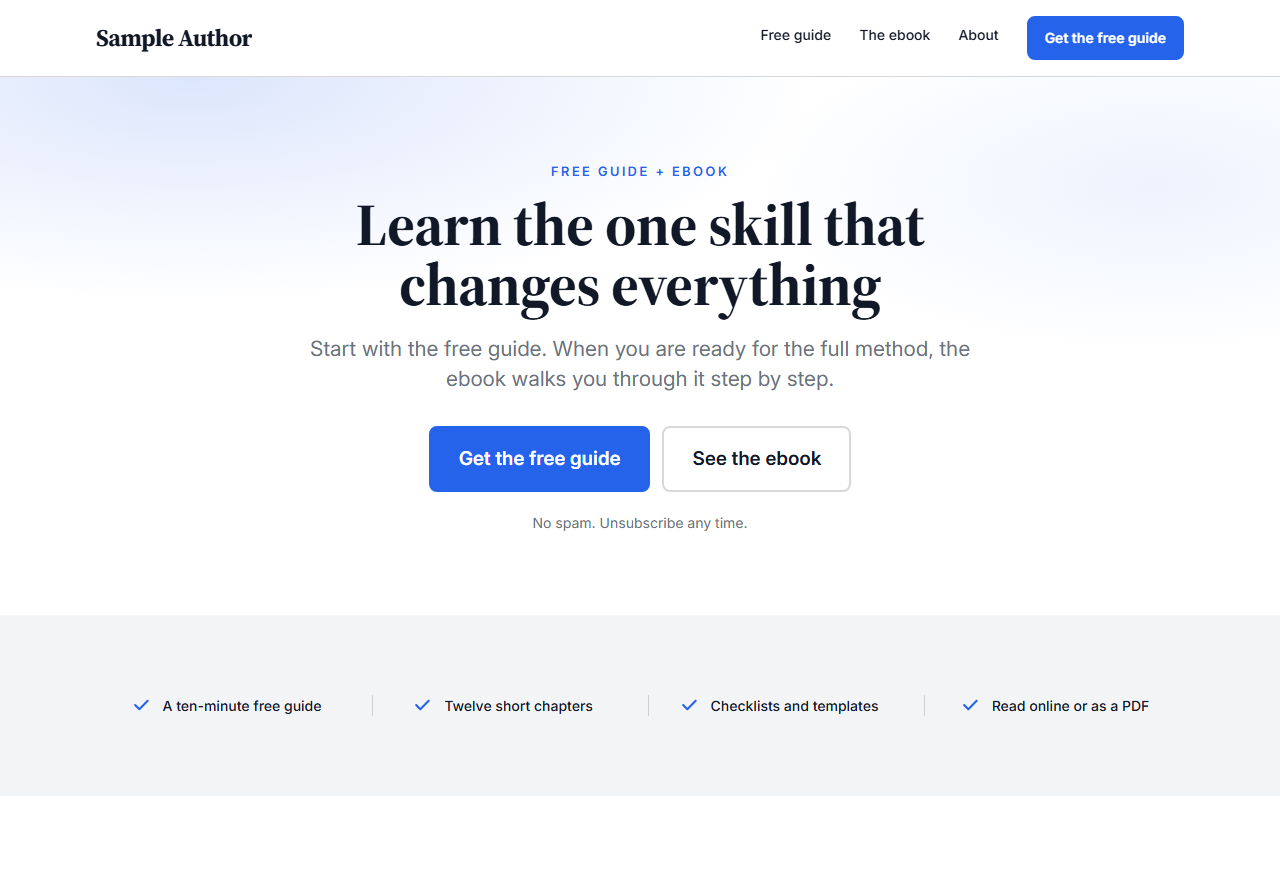
A creator page built from sections, in the creator's own colours and fonts.
How it works
Live in an afternoon
-
Start from a template
Pick a starting site, set your colours and fonts, and swap the placeholder copy for your own. Every page is sections you can reorder.
-
Connect your own accounts
Paste your Stripe key for payments and your Resend key for email. Money and messages go through accounts you own.
-
Publish and share one link
Your free sign-up page, sales page and thank-you pages are ready. Link to them from your videos and posts.

Your AI host
Meet Wren, the AI host of The Creator Funnel
Wren is the AI host of The Creator Funnel on YouTube. The channel is for small creators, on camera or with an AI host, who want to grow an email list and sell a first digital product. Each video walks through one practical step. The channel and this platform are made by the team behind The Creator Funnel.
Wren is an AI character, not a real person, and does not answer messages.
Visit the YouTube channel (opens in a new tab)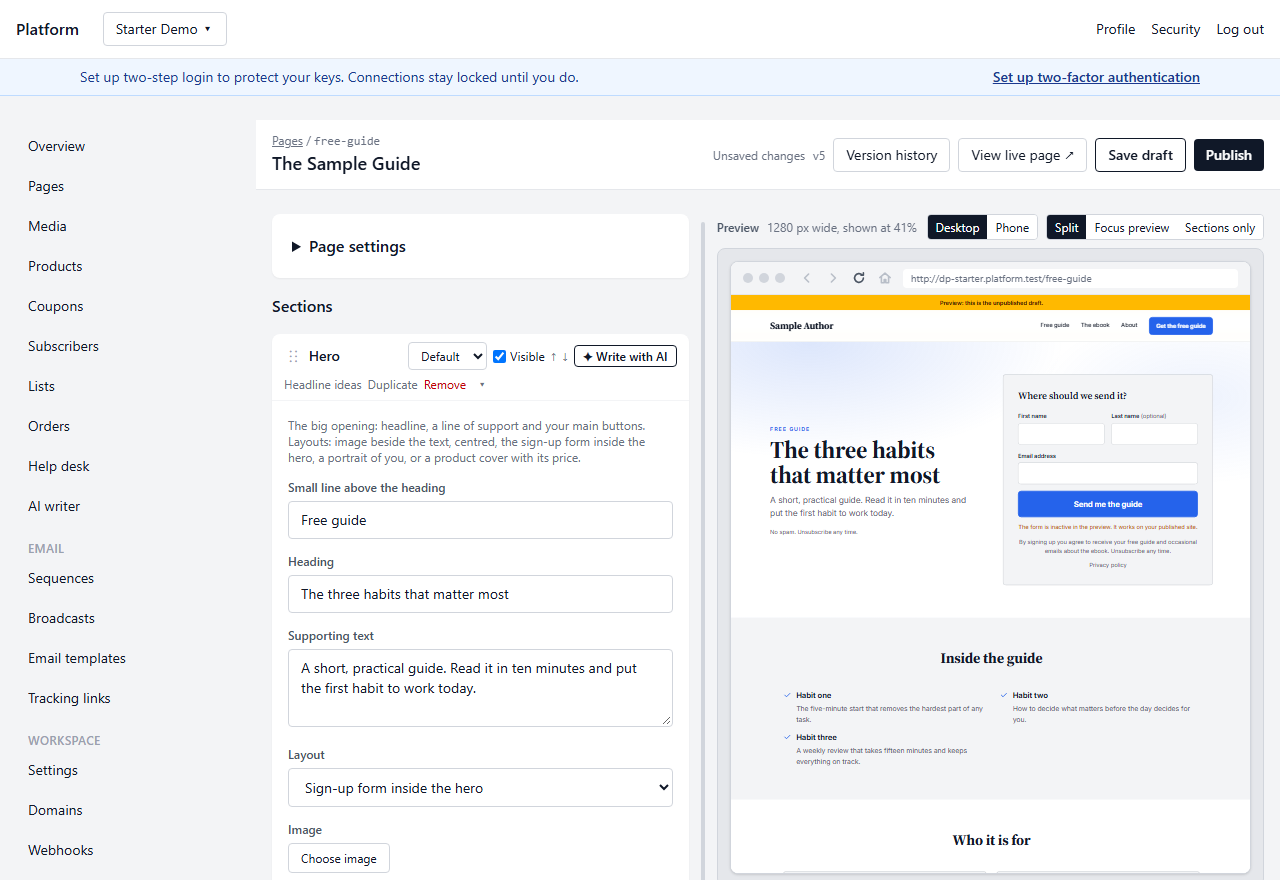
The dashboard
Edit with a live preview, then publish
Change a heading and watch the page update at phone and desktop widths before anyone else sees it. Pages, products, your list, email sequences and a help desk live in one place.
- Sections for every page: hero, price box, guarantee, FAQ, sign-up box and more
- Double opt-in sign-ups with the consent wording you choose
- Email sequences and broadcasts through your own sending domain
- A help desk for customer questions, with no public support address
Bring your own accounts
Your money, your list, your keys
The subscription covers hosting, pages, your list and the help desk. The services that handle money and email stay in your name.
Stripe for payments
Buyers pay into your Stripe account. We never hold your money or take a cut of sales; Stripe's own fees apply as usual.
Resend for email
Confirmations, receipts and newsletters go out from your own domain through your Resend account, so your deliverability is yours to keep.
OpenRouter for AI writing
Optional. Paste your own OpenRouter key to draft pages and emails with AI; you pay the model provider directly and can leave it off entirely.
Pricing
Simple monthly plans
One plan covers every workspace you run. Pick the size that fits your list and grow from there.
Starter
Everything you need to launch one funnel.
$4.95 /month
Free for 90 days, then $4.95/month. Cancel anytime.
- 1 workspace
- Up to 1,000 subscribers, shared across your workspaces
- 1 product per workspace
- Up to 10 pages per workspace
Growth
More products, more domains and a small team.
$29.95 /month
Billed monthly from day one. Cancel anytime.
- Up to 2 workspaces
- Up to 10,000 subscribers, shared across your workspaces
- Up to 10 products per workspace
- Up to 3 custom domains, shared across your workspaces
Pro
For large lists and bigger teams.
$69.95 /month
Billed monthly from day one. Cancel anytime.
- Up to 5 workspaces
- Up to 50,000 subscribers, shared across your workspaces
- Up to 50 products per workspace
- Up to 15 custom domains, shared across your workspaces
Questions
Do I need my own Stripe and Resend accounts?
Yes. Both are free to open. You paste one key from each into your dashboard, and from then on payments and email run through accounts you control.
Is it free to start?
The Starter plan is free for your first 90 days. A card is required to start, nothing is charged until the free days end, and cancelling before then costs nothing. One free start per person, email address and card.
Can I use my own domain?
Every site gets a free subdomain. Plans that include custom domains let you connect your own, with the certificate handled for you.
What happens to my list if I leave?
Export everything from the Data page at any time: subscribers, orders, pages and settings. The list is yours.
Who handles customer questions?
You do, from the help desk in your dashboard. Messages from your contact page and replies to your emails land in one inbox, with no public support address.