
Your creator toolkit
From first visitor to returning customer.
Build your website, offer a free guide, sell digital products and keep in touch with your audience. Manage the pieces together, without giving up control of your payment, email or AI accounts.
Features and capacity depend on your plan and configuration. Compare pricing for current availability, website and subscriber limits, storage, team seats and AI agent permissions.
Real app screens from a local demonstration website. All names, products, messages and numbers are sample data, not customer results.
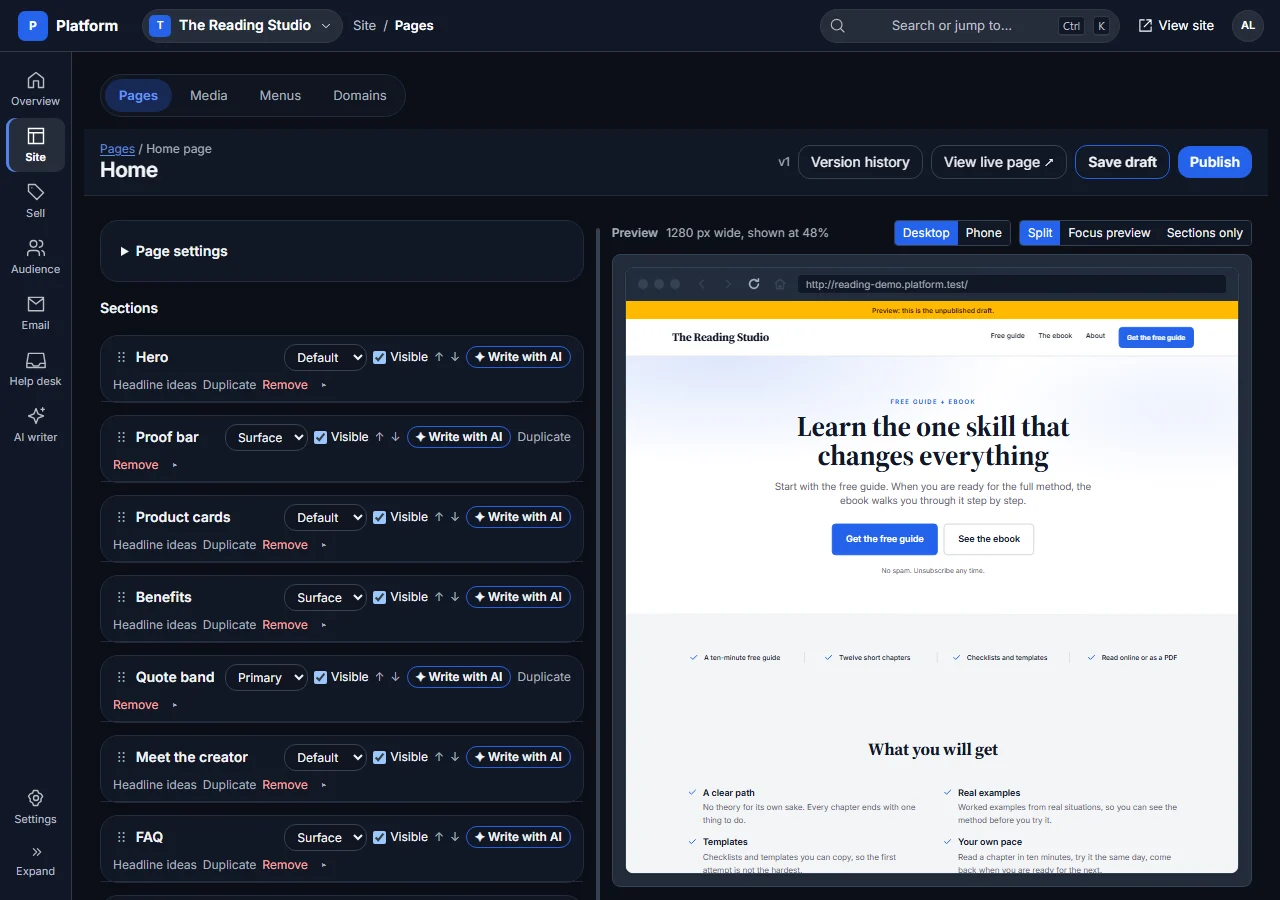
A website that looks like yours
Start with a website template, then edit your pages in a visual section editor. Preview before you publish, keep drafts separate from the live page and restore earlier versions.
- Build with heroes, benefits, product cards, offers, FAQs, author bios, video, sample excerpts, reader reviews and more. Show real PDF sample pages with Look inside.
- Set your logo, favicon, colours, fonts, menus, social links and mobile layouts. Manage images and files in the media library, and customise text and labels.
- Use a free subdomain, or connect your own domain where your plan includes it. Choose a primary address, edit SEO titles and descriptions, and adapt the supplied legal-page templates to your business.
Free guides, paid products and a place to read
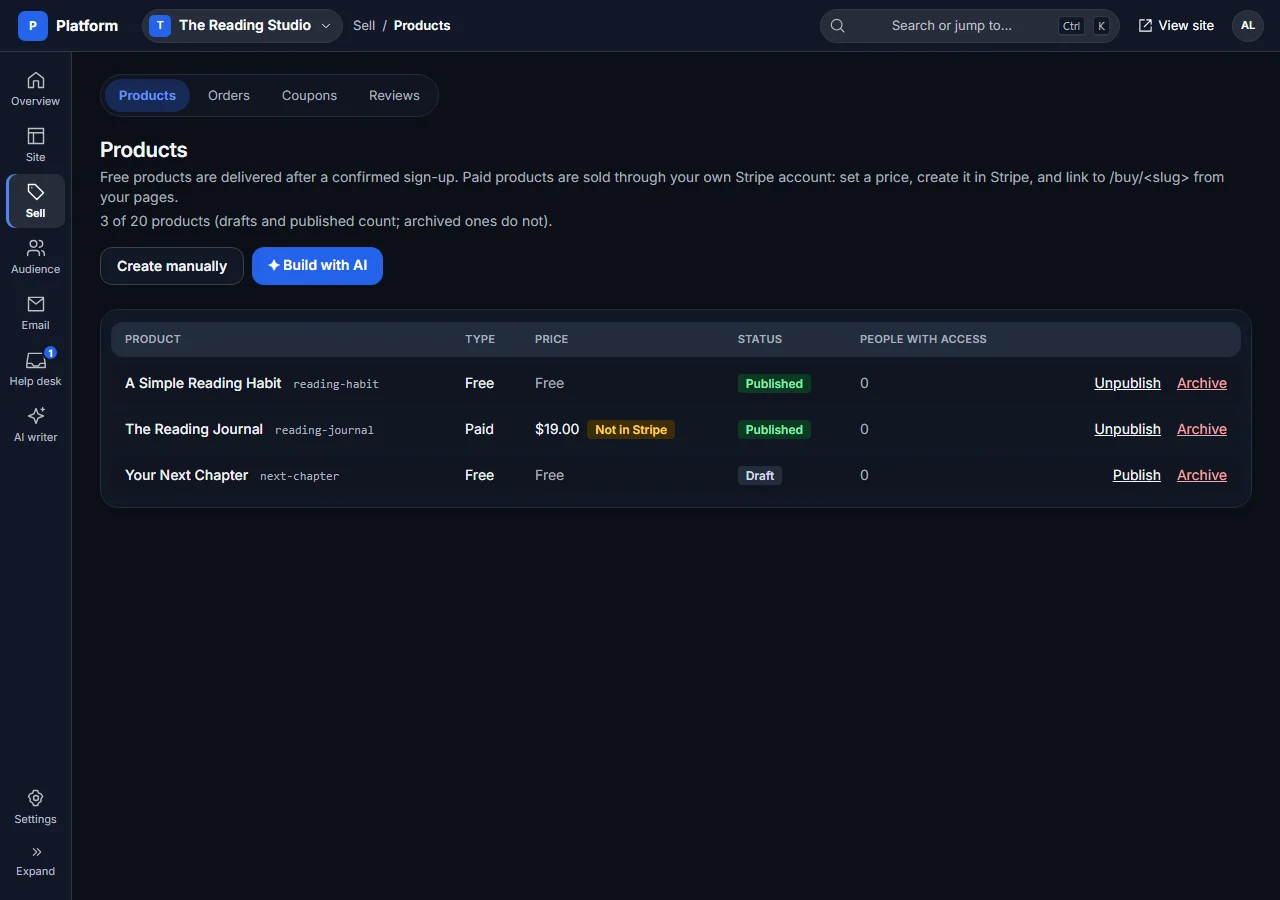
Offer a free lead magnet with confirmed opt-in or sell a digital product through your own Stripe account. Buyers get access on your website, not an exposed file link in an email.
- Create products manually, upload files, organise bundles or edit readable products chapter by chapter. Customers can read online with chapter navigation, saved progress, text-size controls and paper mode, and download a licensed PDF where the product provides it.
- Use direct Stripe Checkout, promotion codes, order history, refunds and access-link resends. Refunded purchases lose access; thank-you pages can recommend a next step.
- Collect verified-buyer reviews through personal review links. Publish readers’ own words or hide content for fixed moderation reasons, never simply for a low rating.
One audience, useful lists
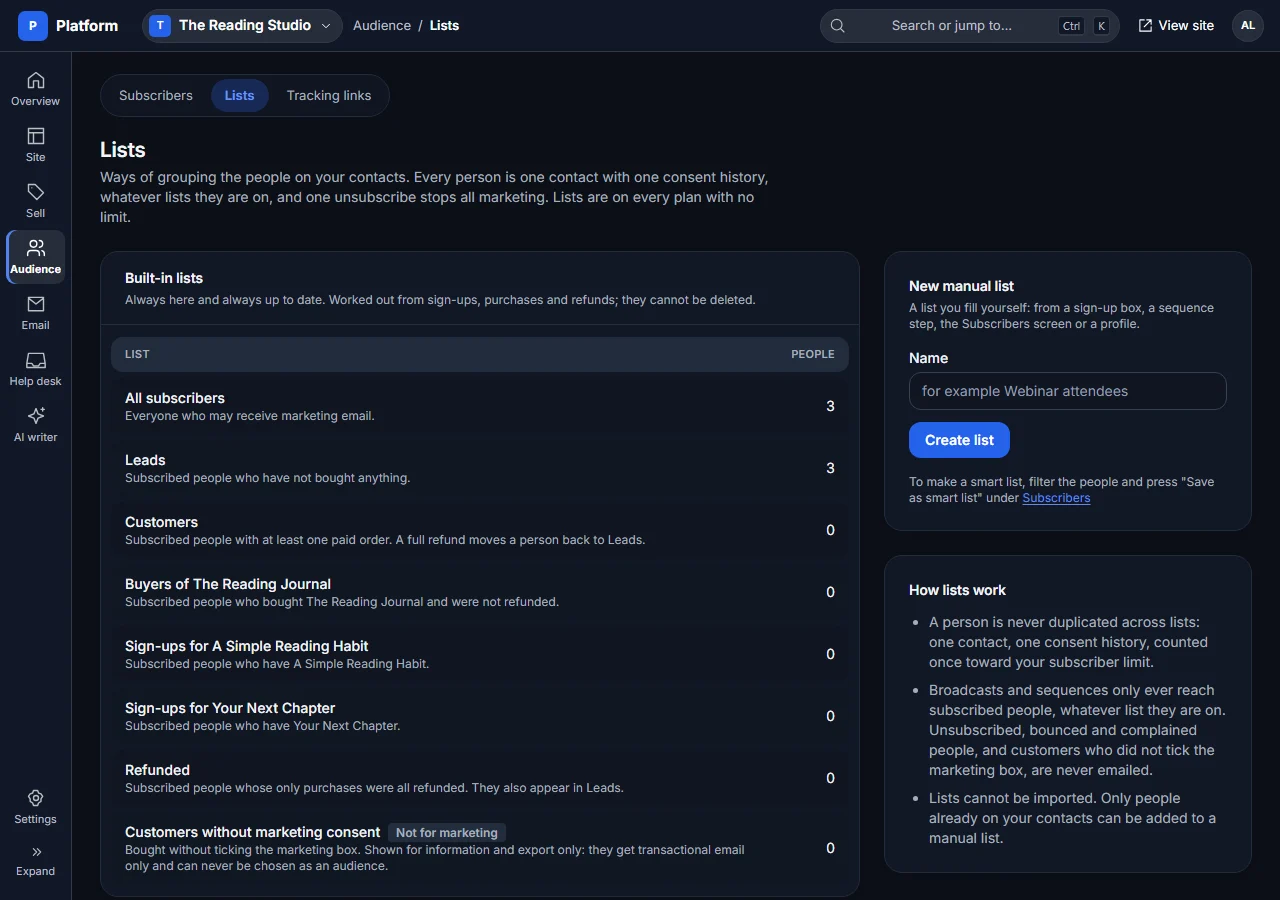
Keep a single contact record per person on each website, with their subscription status, tags, notes, purchases and source. Lists help you reach the right people without counting them twice on that website.
- Use built-in lead, customer, product-buyer and refunded lists; create manual lists or smart lists from saved filters. Add people to manual lists through forms, automation or bulk actions.
- New subscribers confirm their email. Buyers choose marketing consent separately, and unsubscribing stops marketing across the website’s lists.
- Export subscribers and lists, resend access links and anonymise a contact when needed. There is no subscriber import: people join through your opt-in forms.
Email that follows the customer journey
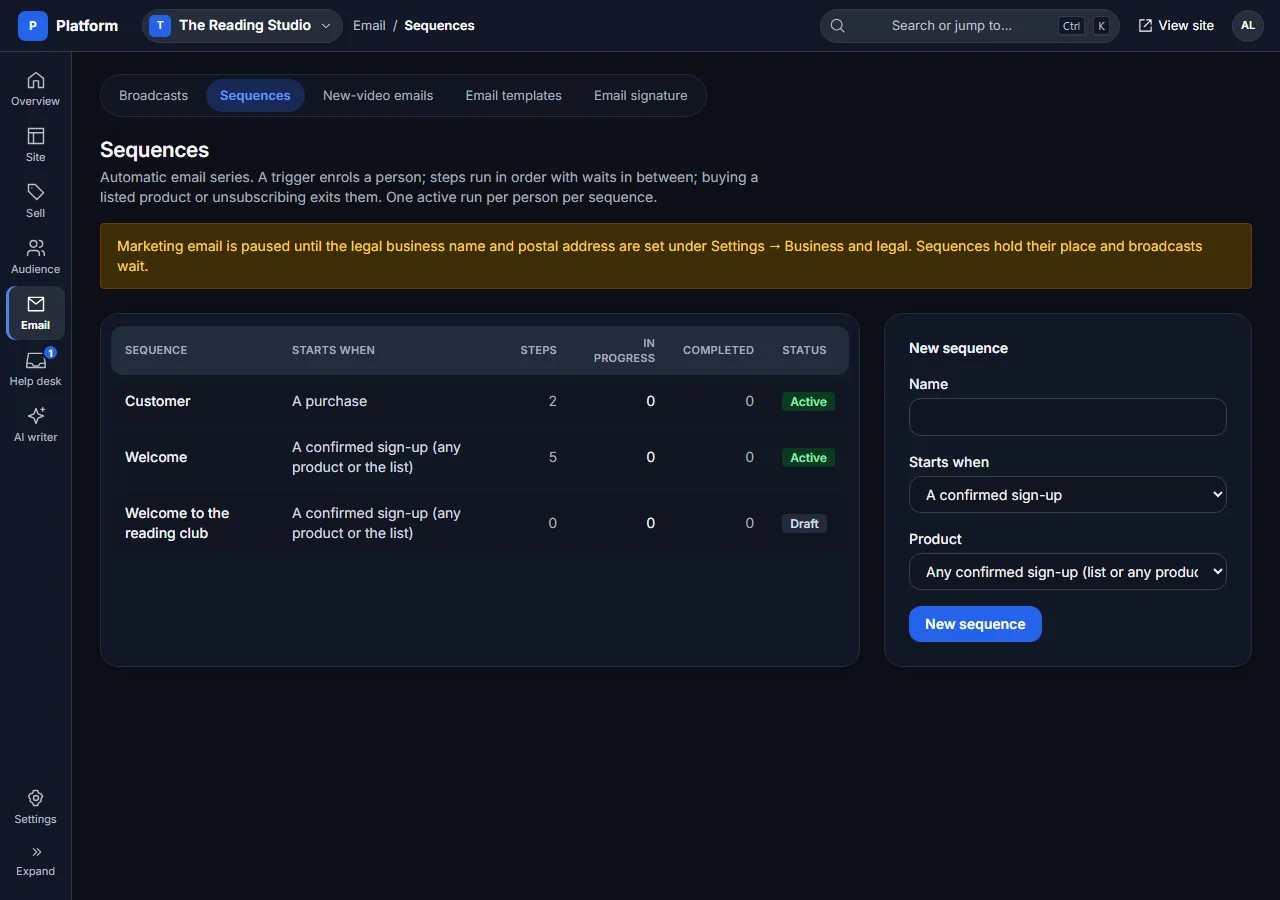
Write broadcasts and automated sequences using your own Resend account. Use reusable email templates, merge fields and an editable signature with a live preview.
- Send a broadcast to subscribed people, tags or selected lists with exclusions and a deduplicated recipient count. Preview, test, schedule and check delivery, opens and clicks.
- Build sequences triggered by confirmation, purchase, a tag, joining a list or manual enrolment. Add waits, conditions, tags and list actions, and exit on purchase or unsubscribe.
- Separate marketing from purchase-related messages. Legal sender details and consent checks protect marketing sends; fair-use sending is paced and over-cap lists pause marketing rather than rejecting new sign-ups.
Give your YouTube audience a next step
Connect your channel to bring viewers onto your website and keep subscribed readers up to date. The public Videos page and new-video emails are separate switches, both off until you enable them.
- Import channel uploads into a Videos grid with individual video pages, click-to-load YouTube players and a default call to action. Choose whether to show Shorts.
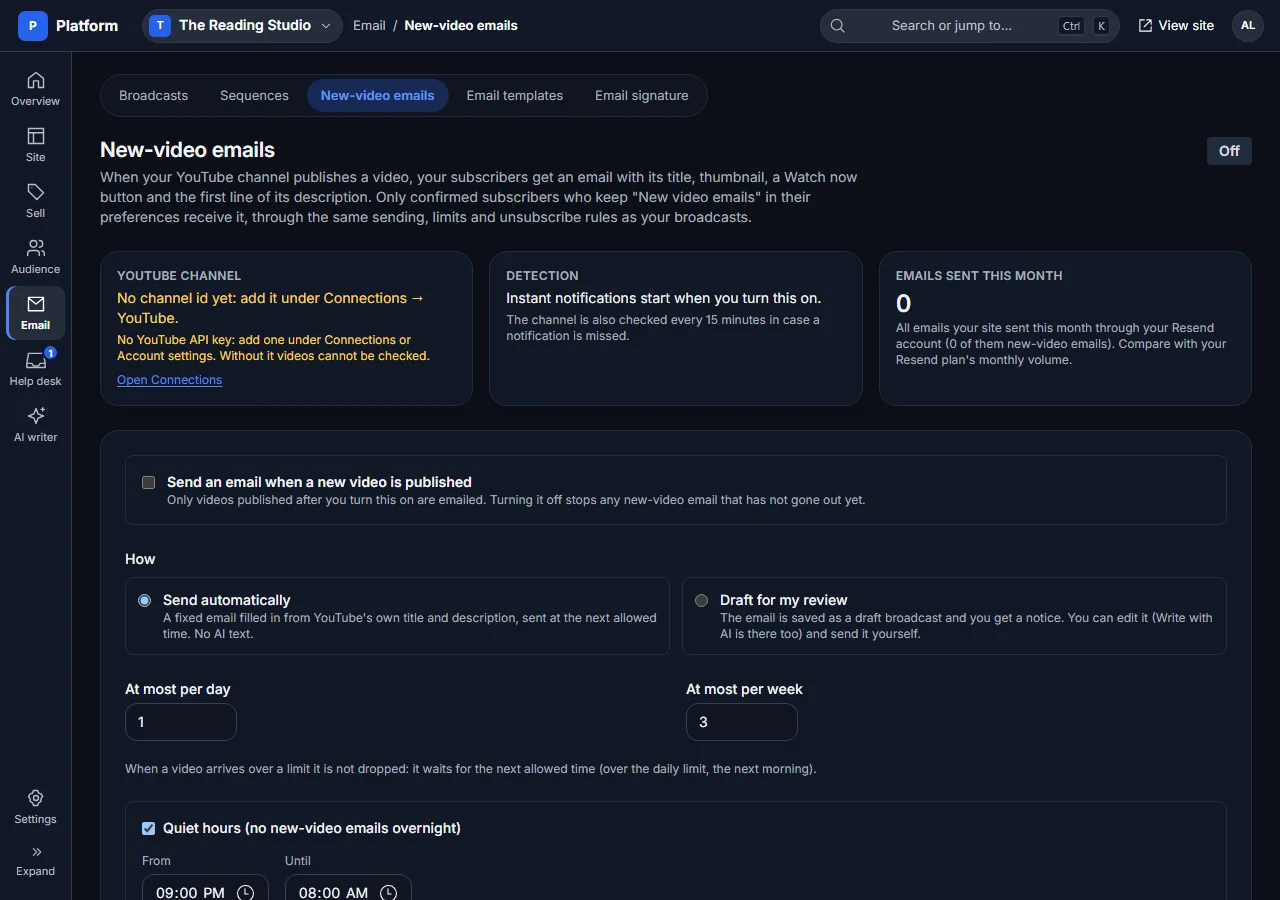
- New-video emails can send automatically from the YouTube title and description, or wait as drafts for your review. Set quiet hours, daily and weekly caps, and an optional product P.S.
- Subscribers can turn off new-video emails without leaving your whole list. Tracking links connect channel campaigns and individual videos with sign-ups and sales.
Customer questions, not another inbox
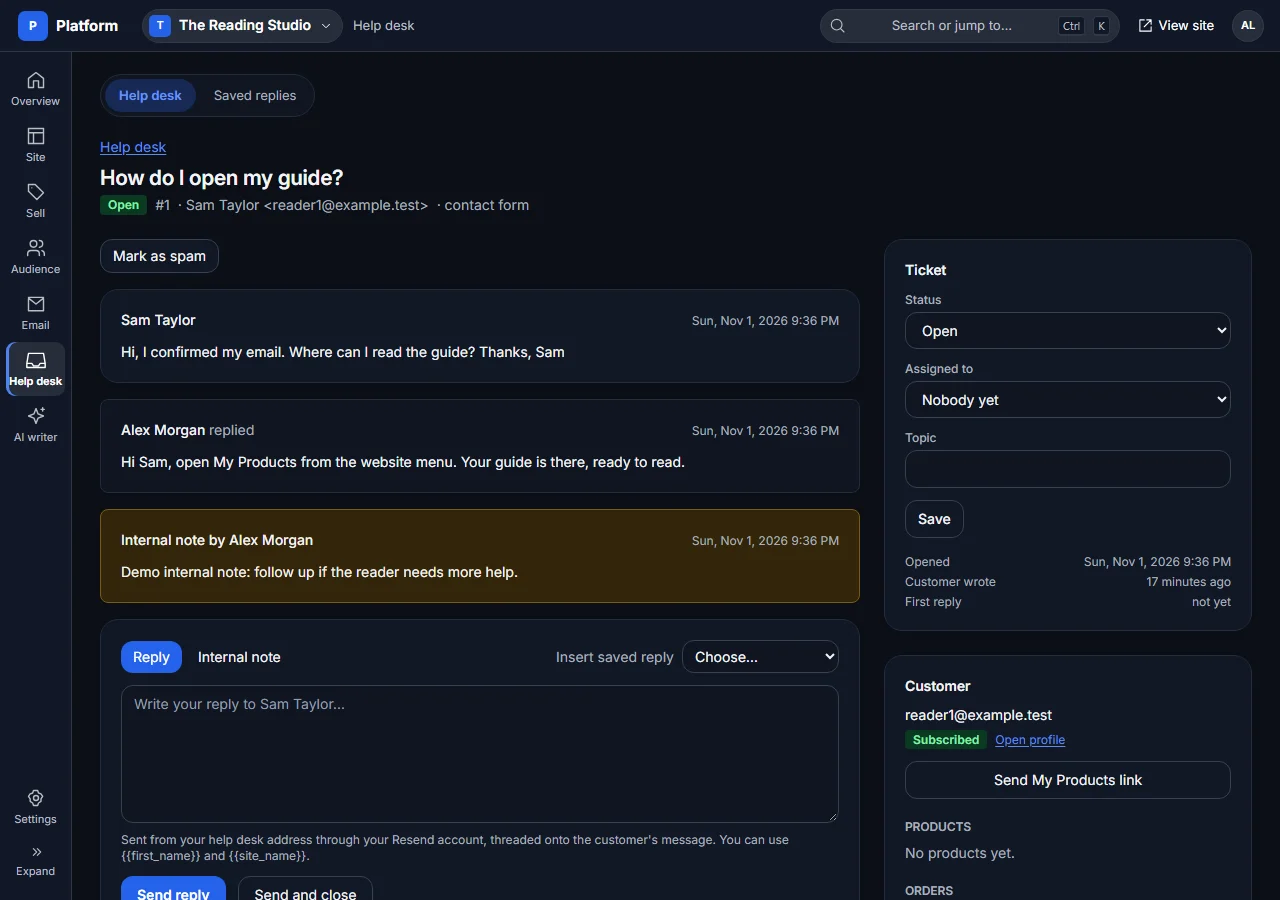
Messages from your contact form and received email replies become help-desk tickets. Your team can see the conversation, reply and leave private notes in the dashboard.
- Assign tickets, organise by status and topic, use saved replies and see relevant customer and order context. Public contact forms do not expose a support email address.
- Keep suspect messages in Spam instead of silently losing them. Mark genuine mail as not spam, block senders or maintain an always-allow list.
- Use AI drafting where enabled, then review and send the reply yourself. Internal notes and agent suggestions stay out of the customer conversation until you choose to reply.
See what brings people in — and what converts
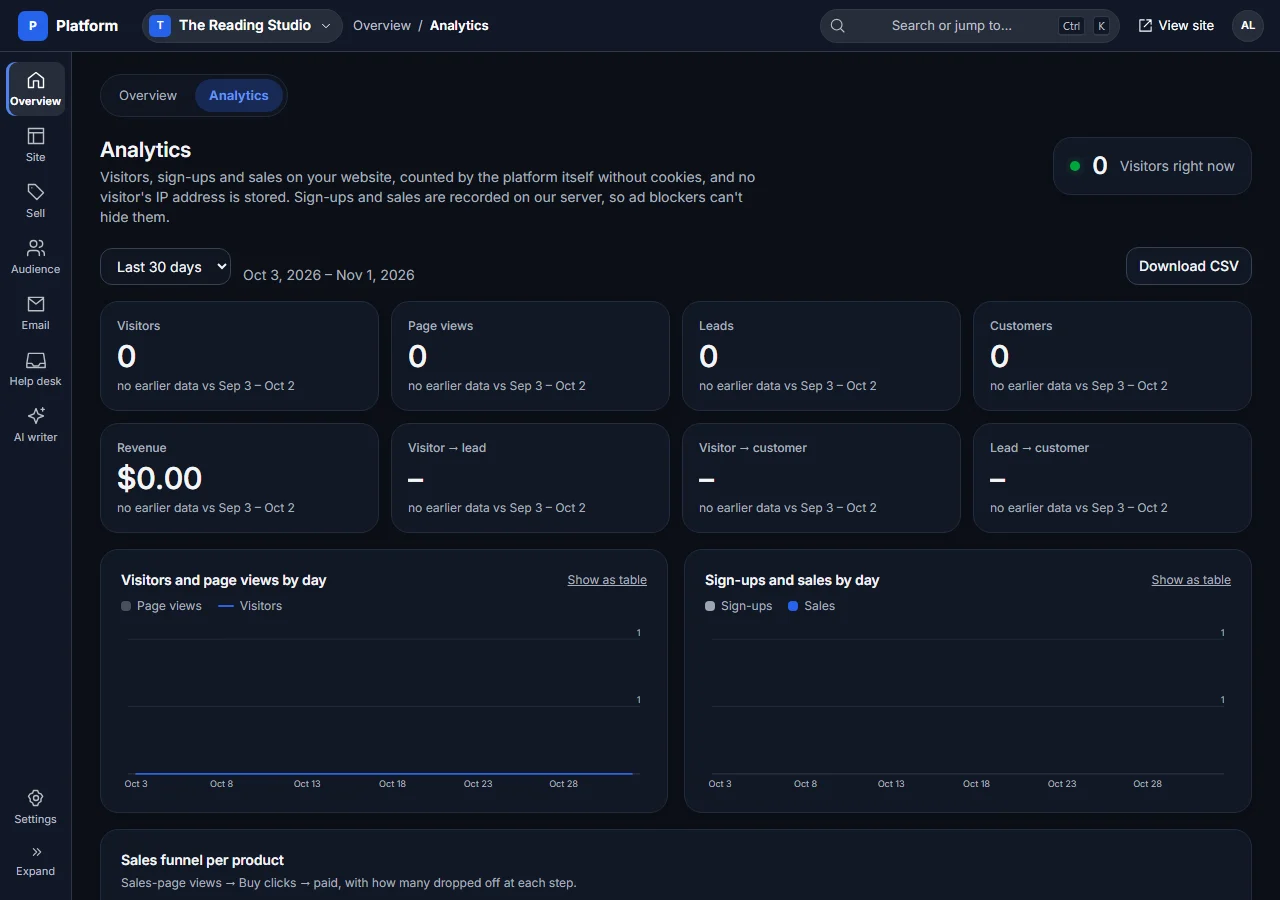
Built-in first-party, cookieless analytics brings website activity and funnel outcomes into one view. Compare date ranges and export the view as CSV.
- See visitors, page views, visitors right now, top pages, sources, countries and devices, plus sign-ups, buyers, revenue and product funnels.
- Create tracking links with source tags, UTM details and optional YouTube video attribution. Well-formed new source tags can be recognised when someone signs up or buys.
- Connect GA4 or Plausible and supported Meta, Google Ads and TikTok pixels if needed. An optional consent banner holds those integrations until consent when enabled.
AI help, with you in control
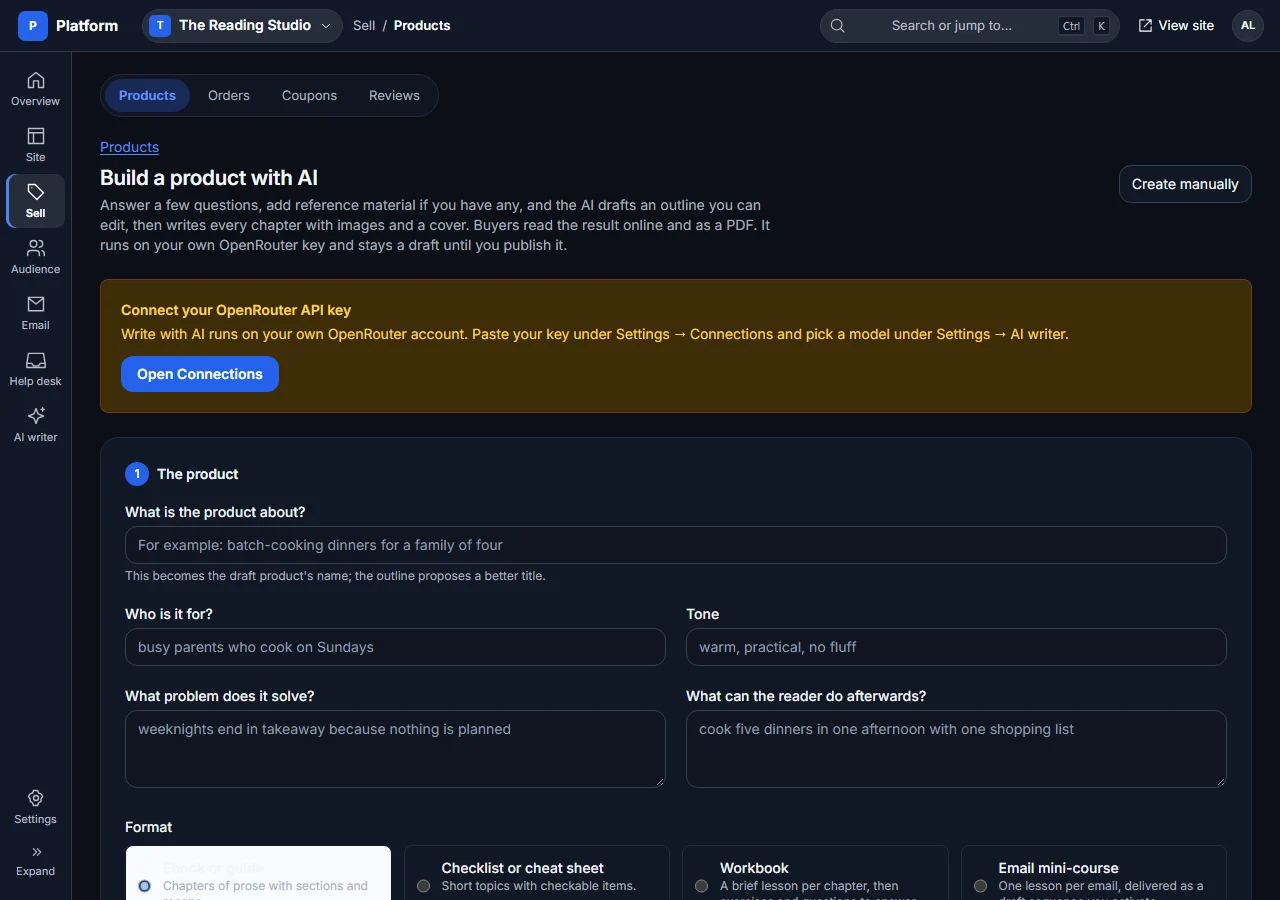
Where your plan includes AI writing, connect your own OpenRouter key and choose your models. Draft page copy, emails and replies, or use the product builder to turn an idea into an editable product.
- Start a product with short questions, optional PDF or text references, described images and optional YouTube context. Approve the outline before generating parts, then edit chapters and replace or regenerate images.
- Readable products use themed HTML and a downloadable PDF. AI output needs your review: model availability, quality and provider costs are not included in your hosting subscription.
- Connect a compatible external AI agent through MCP with a revocable, website-scoped token. Read-only or read-and-draft access depends on the plan and token; agents cannot publish, send, charge, refund or delete. You review drafts in the dashboard.
The everyday details are covered, too
One account, separate websites
Switch between websites on your account and see combined visitor and business stats for websites you can access. Setup checklists show what still needs connecting. Each website keeps its own content, audience and team; plan allowances govern how many you can run and which limits are shared. Shared account settings can supply connections and business defaults.
Team access and sign-in
Owners can invite Admins and Support members with different permissions. Use email sign-in or configured Google sign-in, two-factor authentication, profile settings and light or dark dashboard themes.
Connections you control
Stripe takes payments, Resend sends and receives email, and OpenRouter supplies optional AI. Setup guides, connection checks and signed outgoing webhooks help connect your tools. Provider accounts and fees are separate.
Your data and subscription
Export website data, manage billing, change plans or request deletion from the dashboard. Hosted delivery, private product storage, access checks and form spam protections handle the infrastructure around your content.
Choose the toolkit that fits your business.
Check current plan details before you start. Some features need a connected provider, your own domain or a higher plan; no paid provider action is needed just to explore these screenshots.
Compare plans and limits