
Audience
Audience, consent and subscriber states
Understand who can receive marketing and why a buyer may not be subscribed.
How contacts join
People join through the website's sign-up and checkout journeys. There is no contact-list import: uploading a CSV or adding an arbitrary address to a manual list is not supported. A list's add action selects an existing contact; it does not bypass consent.
Review double opt-in settings and wording before launch. With double opt-in, a form submission is not the same as a confirmed subscription. The confirmation token has a configured lifetime; reminders and cleanup of unconfirmed contacts depend on the website's consent settings.
Inspect a subscriber
Open Subscribers, search or filter, then open a profile. Check the subscription status and consent history, not merely the presence of the record. Profiles also show products, orders, emails, tags, list memberships, sequence enrollments, notes and related tickets.
A buyer can receive essential product access messages without agreeing to marketing. An unsubscribed, bounced or complaint-suppressed contact is not a valid marketing recipient simply because an order exists. The sending checks enforce eligibility again when messages go out.
Unsubscribe and suppression
Customers use the unsubscribe page linked from marketing messages. Owners and Admins can unsubscribe a contact from the dashboard. Removing a list membership or tag does not unsubscribe the person from all marketing, and unsubscribing is not the same as deleting the record.
Do not try to re-enable suppressed recipients by moving them between lists. Investigate the delivery reason and honor the person's consent. Test sends to yourself are not evidence that every contact is eligible.
Shared cap and safe follow-up
Active confirmed subscriber usage is shared across your account's websites. If over the cap, marketing pauses; contacts are not silently deleted to make room. Confirm the current usage in Billing before planning a large send.
Use Lists and tags for segmentation and Export and deletion for data requests. Keep internal notes factual and do not put connection keys or sensitive payment details into a subscriber profile.
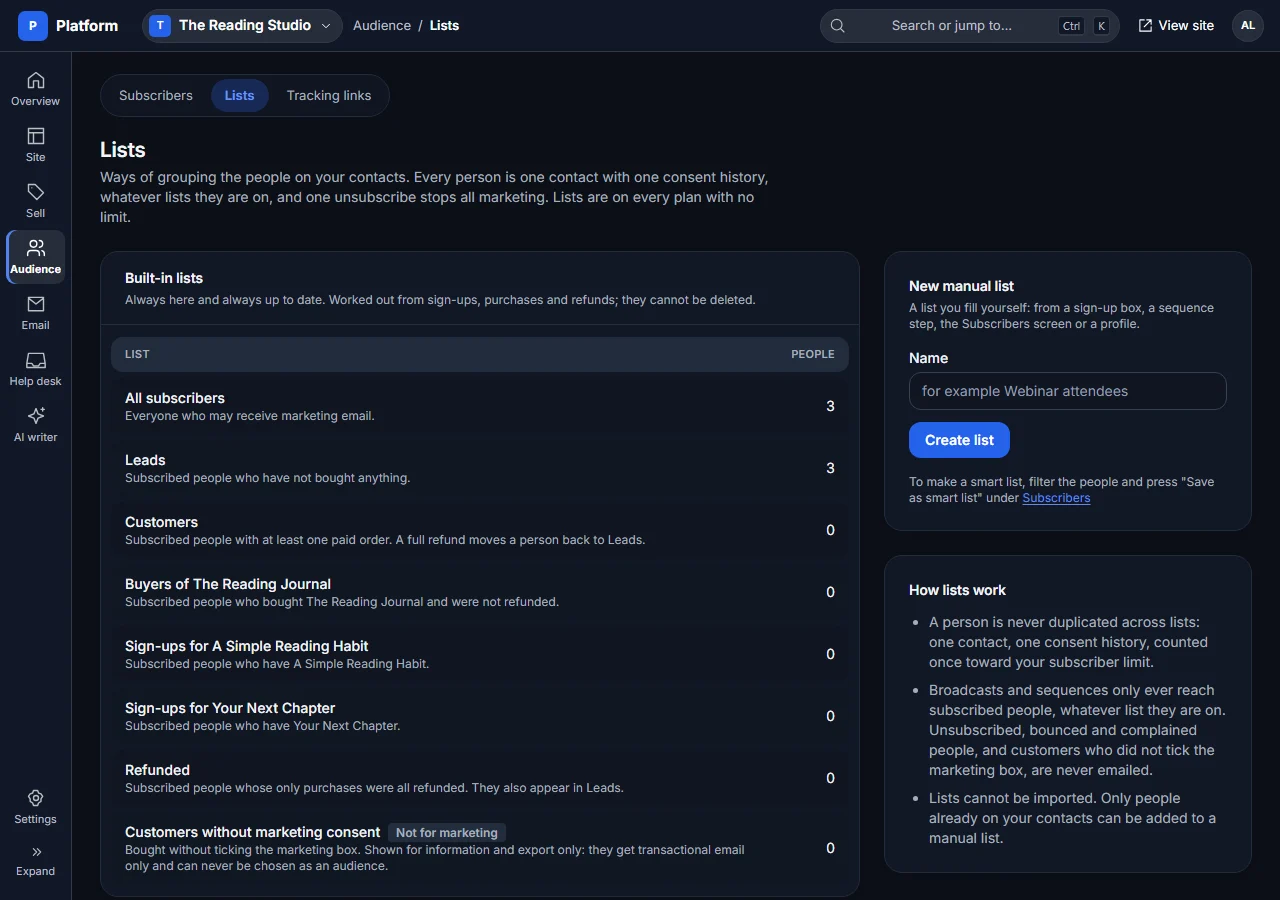
This sanitized example is reused from the Features tour.