
Website
Pages, editor and publishing
Build sections, preview phone and desktop, publish and recover a previous version.
Create and arrange a page
Open Pages, create a page with a title and available address, then open its editor. Reserved system addresses and addresses already in use are rejected. The home page is special: it cannot be deleted or unpublished like an ordinary custom page.
Add sections from the editor's section picker. Edit their fields, select the intended products and media, reorder sections and hide anything not ready for visitors. Use the section's own choices rather than pasting scripts or an entire external page into a rich-text field. Rich content is sanitized; unsupported markup is removed.
Preview before publishing
The live preview renders the actual site layout. Desktop and Phone use real viewport widths, not merely a smaller picture. Follow internal links inside preview to inspect published pages on your own site. Preview forms do not submit and tracking is suppressed: use the public site for a deliberate end-to-end form test.
Check long headings, cover images and button destinations. A product selector can reference a draft product while building; that does not make it purchasable publicly. Publish the product as well as the page.
Save versus Publish
Save keeps the draft. Publish makes a version available to visitors. If you leave with unsaved changes, take the warning seriously. Visit the public URL after publication to confirm the result rather than relying only on the editor's preview.
Use Version history to inspect and restore earlier page content. Restoration is an explicit action; review the result and the page's live state. It does not rewind unrelated product prices, email sends or settings.
Navigation and SEO
Use the menu editor for header and footer links; a page existing does not guarantee it is in the menu. Keep destinations on your intended website. Set the page's SEO title, description and social image in the editor. Read SEO and legal pages before launch.
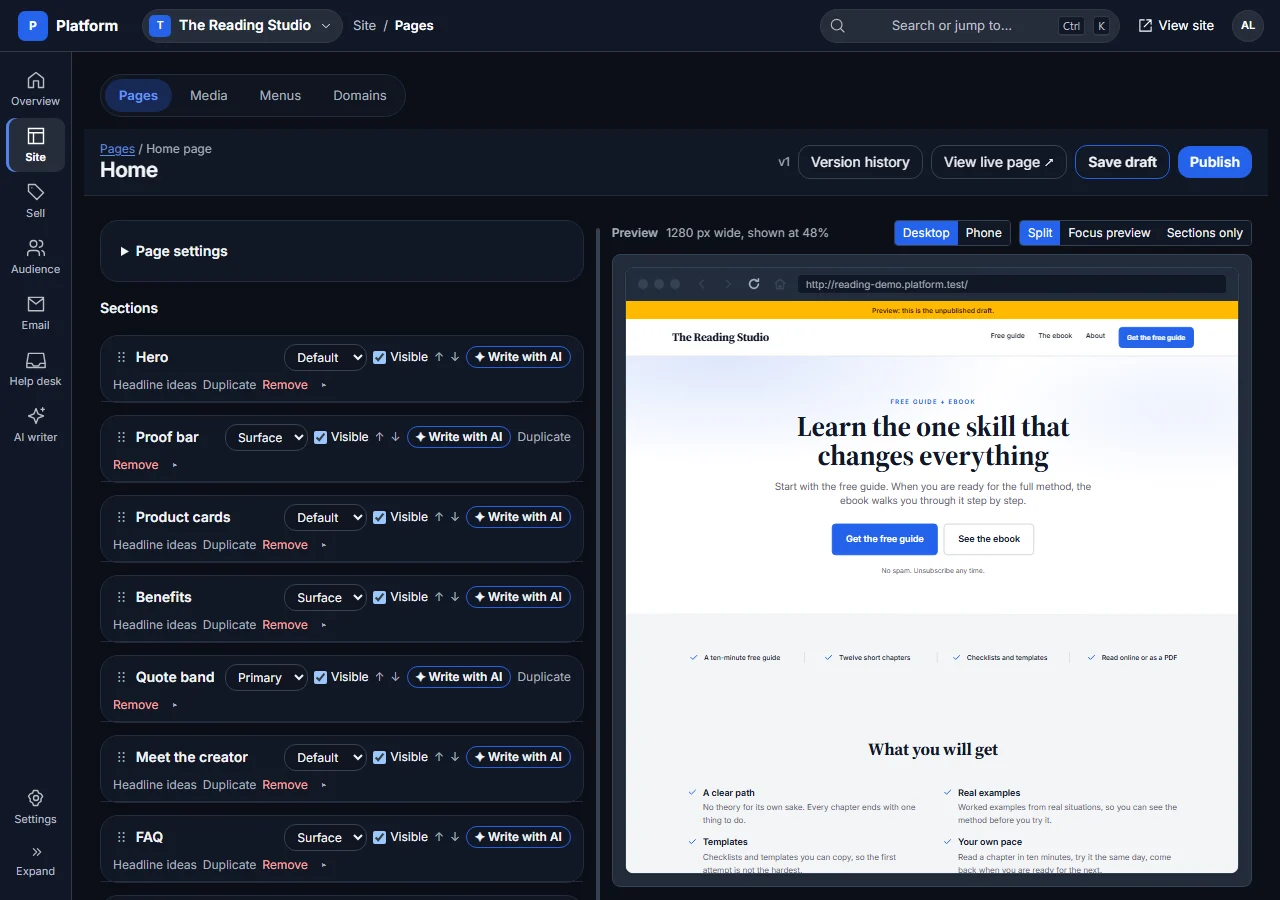
This is the sanitized local demo from the Features tour, not a customer website.